

Tag Archive for: TomTom Bandit

This Week In SeniorsSkiing.com (January 15)

Finally Snow In The Sierra, Mt. Rose and The Chutes, Road Scholar Report, Product Ideas, Action Camera Reviews and All About Nordic Ski Binding Choices.

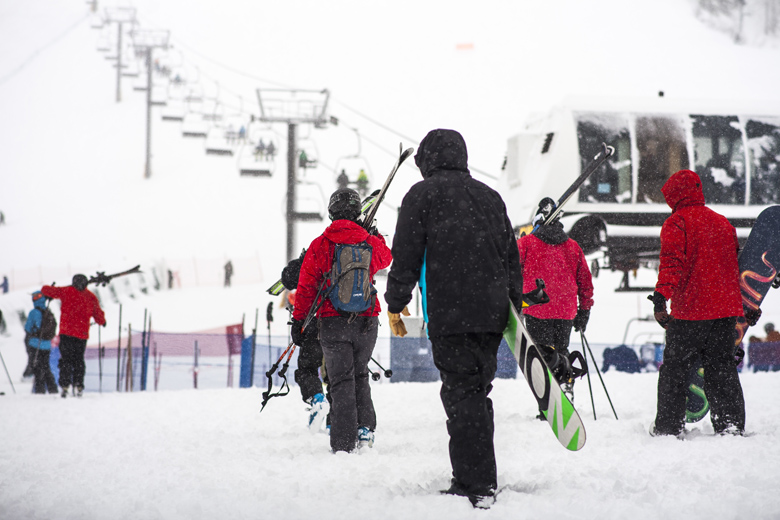
You can't see it but these folks are smiling as they skip to the lifts at Squaw Valley/Alpine Meadows

You can’t see it but these folks are smiling as they skip to the lifts at Squaw Valley/Alpine Meadows.

Thankfully this week, the snow began to fall and the temperature dip in the Northeast.  New England snow machines are making the “cold gold” and snow sport seniors are in full swing.  Meanwhile, the West has been experiencing huge dumps of snow.  Our San Francisco-based correspondent Rose Marie Cleese brings us news of the very happily snow-covered Sierras in her round-up of resort snow conditions.
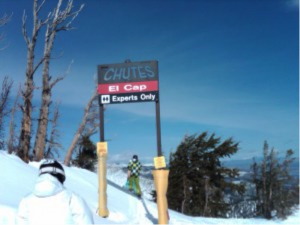
Gate to a chute on Mt. Rose, double-black, steep, and fun. Credit: Pat McCloskey

Gate to the Chutes at Mt. Rose. Steepness ahead. Credit: Pat McCloskey

In another in our series of SeniorsSkiing Guides, our new contributor Pat McCloskey recounts his first trip to Mt. Rose with its challenging Chute collection of steeps. Find out how seniors can economize on the price of a day ticket.

Correspondent Steve Hines is an avid outdoorsman, Wilderness First Responder and knowledgeable REI staff person.  For seniors who are contemplating starting or returning to Nordic skiing, Steve outlines the basic kinds of bindings currently on the market and rates them in terms of “ease of use.”

SLC-based Jan Brunvand recollects his experience with ElderHostel, now Roads Scholar.  There are several different learn-and-ski Alpine and Nordic Road Scholar trips available; the groups are small, the prices reasonable and the friendship fast and firm.  Check out his past trips with the group, and, if you’ve been on one of these, tell us about it.

SeniorsSkiing.com regular correspondent Harriet Wallis was at the OR (Outdoor Retail) Show in SLC last week and scoured the floor for interesting and useful products for seniors.  She collected five good product ideas for you to contemplate.  Here’s her on-the-scene report.

Finally, we had a chance to review the TomTom Bandit action camera, the newest entry in the “stick on your helmet” field.  It has excellent optics and a cool “shake-and-edit” feature that allows you to create an instant video ready for sending to friends and family via cyberspace.

Watch Out For Our Subscriber’s Survey

You can expect to see our Second Annual Subscriber Survey to appear in your inbox shortly after you receive this week’s issue of SeniorsSkiing.com.  This year, we’re offering a few incentives for you to complete this short (five minutes, honest) survey.  Last year, we had an incredible 50 percent response rate.  Come on, guys and gals, let’s hear from you.

Product Review: Shake It With TomTom Bandit

Action Camera Comes With Instant Editing.

It’s good to have a rival—Macy’s has Gimbel’s, the Red Sox have the Yankees, Holmes has his match in Moriarty. Everyone gets much sharper with a decent competitor. And so it is with action cameras.

TomTom Bandit Action Camera has a 4-way navigation button on top. The camera has many attachment devices. Credit: SeniorsSkiing.com

TomTom Bandit Action Camera has a 4-way navigation button on top. The camera has many attachment devices.
Credit: SeniorsSkiing.com

The ubiquitous GoPro, the current market leader, has almost become a verb, as in “I GoPro-ed my last run, and I can’t wait to see it.” Enter a new rival in the action camera market—the TomTom Bandit from the company that made its mark in GPS technologies, bringing navigation features to running and golf watches, car dashboards, motorcycle handle bars, fitness devices and more. Now, the TomTom Bandit has not only quality optics and a variety of choices for video or photo making, but a unique way to get your clips spliced together and posted to social media.

You’d expect a competitive action camera to have a high standard for video and photo quality; it’s the price of admission for this kind of product. And the Bandit certainly looks terrific on a cell phone display. TomTom Bandit has slow-mo, time-lapse, standard video and stills, with options for wide angle or normal lens, and different speeds.

Key Feature: Shaking the phone assembles a collection of clips into a video. Add music and viola.

Key Feature: Shaking your SmartPhone assembles a collection of clips into a video. Add music and viola.

Here come the differentiators. When on your skis (bike, sky-dive, etc.), the Bandit uses built-in motion sensors to tag clips that mark action segments, based on your speed, rotation, g-force, vertical descent and acceleration (and optionally, your heart rate). You can also mark these manually as they happen by hitting a button on the camera or using a remote button linked to the device.

When you combine these highlights, you get a video that can be instantly available for sending into cyberspace. How? The TomTom Bandit connects wirelessly to your SmartPhone which has an awaiting, free TomTom Bandit app . Now get this. When you shake your phone (like a Martini, kind of), the highlight reel shows up on your phone. The app actually edits together a collection of six-second snips from your clip collection. You can add a music track (from your music library on your SmartPhone), audio narration and then blast it to whatever destination you choose from Facebook to Instant Message to email or whatever.  A key benefit of all this is rapid and simple dissemination of your exciting moments.

We had a chance to give the Bandit a test flight. Because of the snow drought here in New England, we went for a walk around Appleton Farm, just across the street instead of cross-country skiing which was the original plan. Here is what we learned about using the TomTom Bandit.

It is good to have a tech-savvy son, daughter or son-in-law handy to give you the big picture instructions before you get going. The instruction manual that comes with the packaging is limited to the very basics. Only after doing some online searching did we find the main, down-loadable reference/instruction manual. That was thoughtfully done and thorough.

Pairing my SmartPhone (iPhone 6) with the camera took some trials; referencing the steps to take in the online reference manual helped. The controls aren’t intuitive; you do have to find and follow the instructions.

When we went for our trial walk, we tried to walk fast (to simulate exciting moments), pressed the Highlight button on the camera several times. (Note: You can use your SmartPhone as a view finder for the camera.) Back in the office, we followed instructions on the SmartPhone app to “Create a Story”, shook our phone, (that felt a little odd, but it worked) added a sound track from our iTunes library and sent it to family via instant message. We repeated the process with a series of videos around the office, but we couldn’t immediately lock on to the wireless connection to our phone; it eventually did pair up, though.

We also found the On-Off buttons—they are separately mounted on the camera—were a little hard to press with gloves in. Having a remote control would most likely help a lot.

The TomTom Bandit comes with various devices that allow you to attach it to helmets or poles. There’s also a waterproof lens; the Bandit is waterproof to 50 meters.  The camera retails for about $396.99 on Amazon.  There’s a premium pack with remote control, various mounts and waterproof lens cover for $496.99.

Bottom Line:  TomTom Bandit has some nice features like shake-and-edit-then-send, but it does take some fiddling and diddling to get comfortable in operating them.  Video quality is excellent which makes all that learning worth it.  In all, a camera for seniors who want to show their grandkids the thrills and beauty of the outdoors.